Elevate Your Gaming and Streaming Experience
Discover the ultimate resource for gamers and streamers at StreamingAndGamers.com. Whether you're a budding streamer or a seasoned gamer, this site offers expert insights into live streaming tips, top gaming hardware, essential streaming software, and comprehensive Twitch guides.
From OBS setup tutorials to the latest esports news and strategies for stream monetization, everything you need to level up your game is right here. Join a vibrant community of gamer streams and enthusiasts dedicated to pushing the boundaries of digital entertainment.
Explore gaming peripherals, hardware recommendations, and pro tips to make your streams stand out in a crowded market.
Mastering Gaming and Streaming Basics
Gaming and streaming have evolved into a dynamic duo, blending immersive gameplay with real-time audience interaction. Streamers worldwide captivate millions by sharing epic moments, strategies, and personalities through platforms like Twitch and YouTube.
Understanding the synergy between high-performance gaming and seamless streaming is key. This section breaks down foundational concepts to help newcomers and veterans alike optimize their setups for maximum engagement.
- Core differences between casual gaming and professional streaming.
- Essential skills for building a loyal viewer base.
- Trends shaping the future of interactive entertainment.
With the right knowledge, anyone can transition from solo player to streaming star.
Live Streaming Tips for Success
Live streaming tips are invaluable for growing your channel. Start by scheduling consistent streams to build viewer habits, and always engage your audience with polls, Q&A sessions, and shoutouts.
Technical prowess matters too: ensure stable internet, high-quality audio, and dynamic overlays. Analyze your metrics post-stream to refine content and timing.
Pro Tips
- Use eye-catching thumbnails and titles.
- Collaborate with other streamers for cross-promotion.
- Incorporate gameplay highlights into social media clips.
These strategies can skyrocket your viewership overnight.
Top Gaming Hardware Recommendations
Gaming hardware forms the backbone of any serious setup. High-end GPUs like NVIDIA RTX series deliver stunning visuals and smooth frame rates essential for competitive play and streaming.
Pair them with robust CPUs, ample RAM, and fast SSDs to handle multitasking without lag. Cooling solutions prevent thermal throttling during marathon sessions.
- Monitors with high refresh rates for immersive experiences.
- Power supplies that support overclocking.
- Custom PCs vs. pre-builts: pros and cons.
Invest wisely to future-proof your rig.
Best Streaming Software Options
Streaming software bridges gaming and broadcasting. OBS Studio remains a free powerhouse with endless customization, while Streamlabs OBS offers user-friendly overlays and alerts.
XSplit excels in advanced scene management, and Lightstream provides cloud-based streaming without heavy hardware demands. Choose based on your workflow and platform.
Key Features to Look For
- Multi-platform support (Twitch, YouTube, Facebook).
- Low CPU usage for smooth performance.
- Built-in recording and editing tools.
Experiment to find your perfect match.
Comprehensive Twitch Guides
Twitch guides demystify the platform's ecosystem. From creating a channel to enabling subscriptions, learn navigation, affiliate programs, and turbo features.
Optimize your profile with branded panels, bots for moderation, and emotes that resonate with fans. Host raids and understand Bits for extra revenue.
- Category selection for discoverability.
- Stream health monitoring tools.
- Compliance with Twitch's community guidelines.
Master these to thrive on the purple platform.
OBS Setup Tutorial
OBS setup is straightforward yet powerful. Download from the official site, install plugins like StreamFX for effects, and configure sources for games, webcam, and audio.
Set scenes for intros, gameplay, and breaks. Tune encoders (NVENC for NVIDIA users) and bitrate for your upload speed. Test streams privately before going live.
Step-by-Step
- Add game capture source.
- Layer overlays and alerts.
- Start streaming with one click.
Unlock pro-level production with practice.
Latest Esports News and Updates
Esports news keeps you ahead in the competitive scene. Follow major tournaments like The International for Dota 2 or League of Legends Worlds for roster changes and standout performances.
Teams like TSM and FaZe Clan dominate headlines, while emerging talents reshape metas. Stay informed on prize pools exceeding millions.
- Upcoming event schedules.
- Player transfers and scandals.
- Tech innovations in pro play.
Esports is more than games—it's a global spectacle.
Spotlight on Top Gamer Streams
Gamer streams highlight community favorites. Watch pros like shroud for raw skill or Pokimane for entertaining variety content.
These streams offer learning opportunities: observe commentary styles, pacing, and audience interaction techniques.
- Rising stars to follow.
- Genre-specific streamers (FPS, MOBAs, RPGs).
- 24/7 stream marathons and challenges.
Inspiration fuels your own streaming journey.
Stream Monetization Strategies
Stream monetization turns passion into profit. Twitch Affiliates earn from subs, bits, and ads; Partners unlock higher rates and perks.
Merchandise sales, sponsorships, and Patreon provide diversified income. Host giveaways to boost engagement and conversions.
Maximizing Revenue
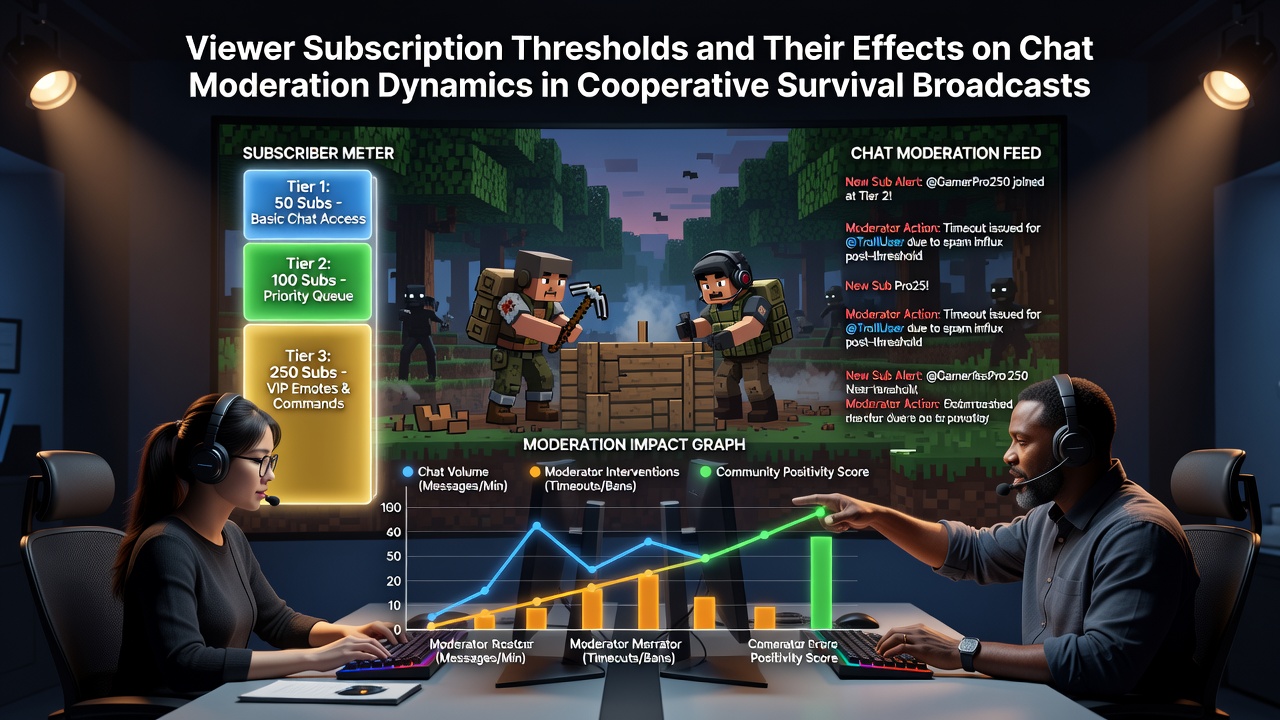
- Subscription tiers with exclusive perks.
- Donation alerts with fun animations.
- Brand deal negotiation tips.
Sustainable strategies ensure long-term success.
Essential Gaming Peripherals
Gaming peripherals enhance precision and comfort. Mechanical keyboards with Cherry MX switches offer tactile feedback, while gaming mice like Logitech G Pro feature customizable DPI.
Headsets with surround sound and clear mics are crucial for comms. Ergonomic chairs and mousepads complete the setup.
- RGB lighting for aesthetic appeal.
- Wireless options without latency.
- Budget vs. premium comparisons.
Upgrade peripherals for a competitive edge.